The challenge
Picture a typical afternoon for an embedded engineer and the open windows pile up: a serial console on a development board, an SSH session into a gateway, a raw TCP connection to a device on the bench network, a utility to see which port something appeared on, a datasheet and an editor. None of these tools know about each other, so the history and context live in the engineer’s head.
The price is attention. Each switch means re-orienting, and small questions, such as which board sits on which port or what command worked yesterday, keep breaking into the real debugging. AI assistance was part of the brief, and we saw a specific risk there. A general-purpose model has never read the datasheet for the part on the bench. When it guesses at a register or a pin, the wrong answer sounds every bit as sure as the right one, and in hardware work that can waste a great deal of time.
- Local, SSH, serial and TCP work split across unconnected tools
- No single place to see which USB, serial and LAN devices are present
- Past sessions and reference material scattered and hard to find
- Generic AI answers with no knowledge of the actual hardware or code
Our approach
The platform came first. Embedded work depends on USB and serial ports and the local network, and a browser makes all three awkward to reach. We chose Electron, with Node.js underneath, so the product runs as a desktop app with direct access to the machine, while the interface uses familiar web technology: React and TypeScript, built with Vite, styled with Tailwind, with Zustand holding application state. That keeps the codebase in a stack many engineers already know, which matters for whoever maintains it next.
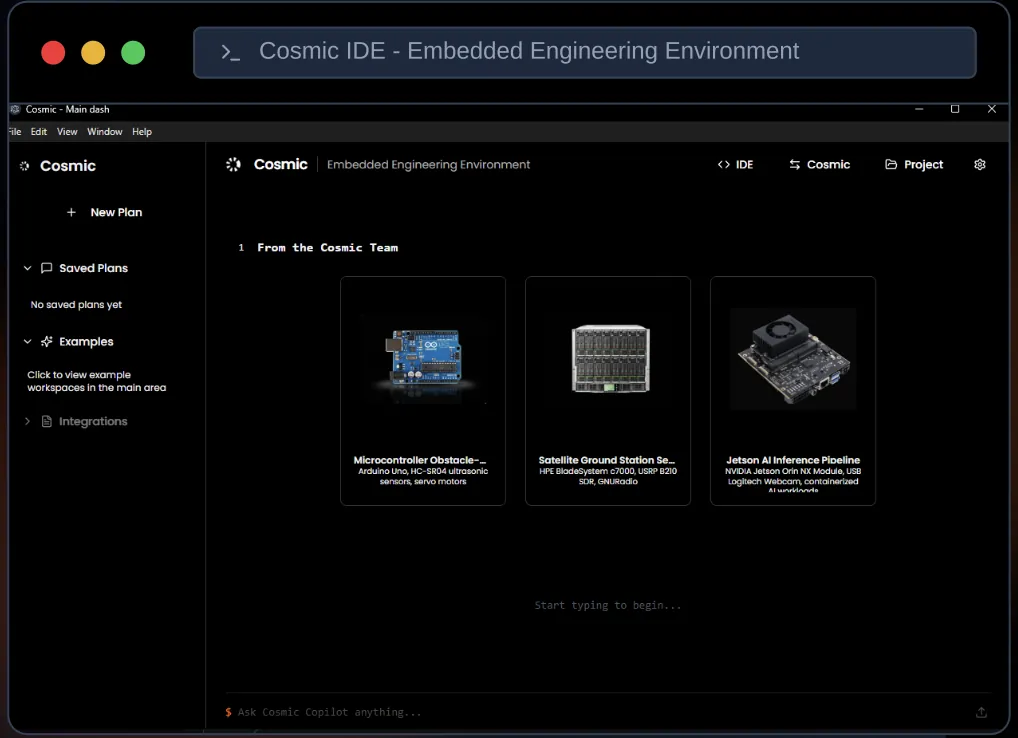
We put the terminal at the centre, because that is where embedded engineers spend their day. xterm.js drives a multi-pane layout in which local, SSH, serial and TCP sessions sit next to each other in one window. Universal discovery scans for USB, serial and LAN devices, so the engineer can see what is connected without leaving the IDE, and Cytoscape draws an interactive topology of the network, turning a list of addresses into a map that can be explored.
Next came memory. Sessions and documentation are stored locally in SQLite, and session logging keeps a record of what was run, so yesterday’s working command can be found again. Documentation ships with the app, which takes one more window off the screen.
For Cosmic Copilot we relied on retrieval instead of a model’s general knowledge. A local RAG package draws on datasheets and repository context, and the copilot grounds its answers in what it retrieves. Because the package runs locally, the assistant works from the very documents and code the engineer has to hand, and its answers can be checked against their source.
- Electron desktop shell on Node.js
- React, TypeScript, Vite, Tailwind and Zustand interface
- xterm.js panes running local, SSH, serial and TCP sessions together
- Universal discovery of USB, serial and LAN devices
- Interactive network topology drawn with Cytoscape
- SQLite storage for sessions and docs, plus session logging
- Cosmic Copilot grounded by a local RAG package over datasheets and repo context
Architecture & stack
- Desktop shell
- Electron, Node.js
- Interface
- React, TypeScript, Vite, Tailwind CSS, Zustand
- Terminals & devices
- xterm.js, SSH, Serial, TCP, USB / serial / LAN discovery
- Visualisation
- Cytoscape
- Data & AI
- SQLite, Local RAG package, Cosmic Copilot
The outcome
Engineers using Cosmic IDE find devices, open sessions to them, view the network and look up references in a single application. Related sessions stay visible together, logs keep earlier work within reach and bundled documentation cuts the hunting through folders. The result is fewer windows and far less switching between them.
Cosmic Copilot works from the engineer’s own material, the datasheets and the repository, so a suggestion can be traced to a document instead of being taken on trust. In embedded work, where one wrong register value can send a debugging session down the wrong path, that is what makes an assistant worth having.
Our advice to anyone adding AI to a specialist tool comes straight from this project. Make the tool worth using without the assistant, put the assistant inside the workflow people already follow, and ground it with retrieval over the documents your users trust. An assistant whose answers come from the datasheet earns confidence far faster than one that only sounds sure of itself.
Last updated